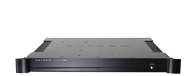
AVM20 Software Update


v2.1x Software Upgrade Features/Changes (For v2.0x Features/Changes Click Here)

Software version v2.1x is an extensive redesign of the AVM 20 operating system that adds a number of very useful features. Refinements in digital signal processing has also yielded further sonic improvements resulting in even greater overall clarity, detail and imaging precision.

INPUT / OUTPUT CHANGES See Owners Manual Section
  • Auto-Digital Input Sensing by Source
    Goes to digital input first, if no signal is present then automatically switches to analog input.
7.4.5
  • Multiple Component-Input Assignment
    Digital inputs (RCA, TOS, AES/EBU) can be assigned to any source, including multiple sources.
7.4.5
  • Multiple Digital-Input Assignment
    Digital inputs (RCA, TOS, AES/EBU) can be assigned to any source, including multiple sources.
7.4.5
  • 6-Ch Surround/Rear Reverse Output Option
7.4.7
  • Duplicate Surround/Rear Output Option
7.4.7
  • Digital Output Dithered whenever A to D is set to 16 bit.
7.4.7
SETUP MENU ADDITIONS AND CHANGES
  • Separate Cinema and Music Speaker Configurations, assignable to each source.
7.4.2
  • Auto-LFE Option determines Cinema/Music speaker configuration based on presence of LFE.
7.4.5
  • Room Resonance Filter to remove primary in-room bass standing-wave.
7.4.2
  • LFE Crossover Bypass recovers LFE information above subwoofer crossover setting.
7.4.2
  • Source Presets allow user definable mode presets for each source.
7.4.5
  • Source Setup defines operation parameters in one submenu for each source.
7.4.5
  • Adjustable Mute Level allows different mute level settings or silent.
7.4.8
OPERATIONAL CHANGES
  • FM and AM Preset Banks only scan through their respective presets.
---
  • Stereo / High Blend / Mono setting is memorized individually to each FM preset.
5.4.2
  • Unused FM/AM Presets are skipped when tuned to 87.5(FM) and 530(AM).
5.4.2
  • Individual Speaker Levels are memorized by Mode.
5.6
  • Super Subwoofer modified so LFE goes to subwoofer only.
7.4.2
  • Dynamics Reset to Normal whenever Main Power is turned Off/On.
5.8.10
  • PLII-Movie:Auto/Off allows ProLogic II-Movie to be automatically engaged or overridden 5.8.2for Dolby Digital-2.0 program material that contains the ProLogic flag.
5.8.2
  • Direct Access Codes for modes, adjustments, and tuner banks
6.9 Appendix A
  • Audio Group Delay direct access allows for visual audio delay alignment.
6.7 (7.4.5)
  • Factory Default 2-Ch Mode set to AnthemLogic-Cinema for all video sources (plus AUX) and 5.8.1AnthemLogic-Music for all audio sources.
5.8.1
  • Remote Control Volume Speed increased for more responsive operation.
---
  • Dashes in Hour Column of timers menu allows a specific timer to be skipped.
7.4.1
  • Bit Rate / Sample Rate Status Indicator (in status cycle). Displays PCM, Dolby Digital and 5.10DTS sample rates as applicable.
5.10
CUSTOM INSTALLATION
  • Fixed Output Option for Z2 and Z3
7.4.8
  • New v2.1 Serial Command List (available on Custom section of website) includes many additional new commands relevant to mode preset/selection.
  • Front Panel Buttons Lockout (for most buttons) enabled through serial command.
Serial Command List
  • Serial Feedback for serial discrete volume command.
Serial Command List
  • TATU, TATD, TFTU, TFTD serial commands to allow FM/AM tuning up/down without Serial Command Listaddressing a specific frequency.
Serial Command List


This site is frames enabled. Best viewed at 800 x 600 or higher with Netscape Navigator 3 , Internet Explorer 4 , Opera 3.21 or higher.
Copyright (C) Anthem™/Sonic Frontiers International • Copyright & Trademark NoticeSite Feedback